


WebFileUploader includes two user interface layout, panel and attachment bar.
Panel user interface layout provides rich user interface upload elements. There are checkbox, textbox, selection button, add button, remove button, upload button, cancel all button, upload button. With panel layout, you can easily perform file selection, and then uploading multiple files, or cancelling running uploads.
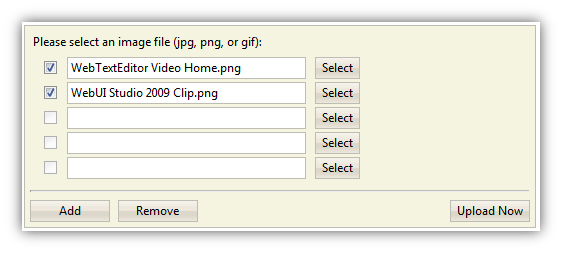
Panel layout provides users with richer uploading experiences
AttachmentBar user interface layout is state-of-the-art design that minimizes the form of WebUploader component, making efficient use of screen real estate. It is specifically designed for attachment box in data entry form for uploading attachment files.
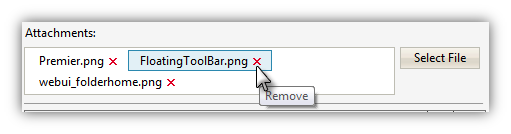
Perfect for data entry form with limited space, Attachment layout brings powerful multiple file
uploading capabilities into a compact, minimal user interface.