


WebSpellChecker introduces sophisticated navigation experience when integrated with WebTextEditor. It also automatically connects to WebTextEditor user interface providing more options for spell checking related commands. You can perform spell checking in several ways such as discussed below.
- Spell checker command in toolbar.
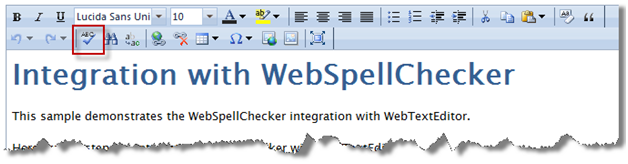
When WebSpellChecker integration is configured properly, the spell checker command in WebTextEditor's toolbar will be enabled. Click on this command to start spell checking which activates spell check editing mode. Click on the command again to exit from spell checking mode.
- Auto-navigate spell checker command in status bar.

This easy-to-access button provides user with convenient way to perform spell checking. It's particularly useful when the editor is loading in minimal toolbar configuration where spell checker command may not be available in the toolbar.
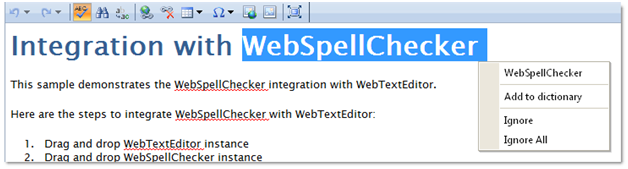
When clicked for the first time, WebSpellChecker executes spell checking process and automatically focus on the first misspelled word with suggested word list displayed in intuitive context menu interface. Click on the button again to easily navigate to the next misspelled word.
In This Section
Walkthrough: Integration with WebSpellChecker
 See Also
Other Resources
{Integration with WebSpellChecker}