


Unique to WebTextEditor is the capability to have more than one section in a single editor. This time-saving feature creates new possibilities and richer editing experiences that are previously difficult to achieve.
By default, WebTextEditor uses single section instead of multiple sections. Single section settings can be found in RootTextEditor property while multiple sections settings can be found in each TextEditorSection object.
 |
To enable multiple sections, simple add the TextEditorSection object into TextEditorSections collection. When multiple sections are activated, the single section configuration such as in RootTextEditor will be automatically ignored. |
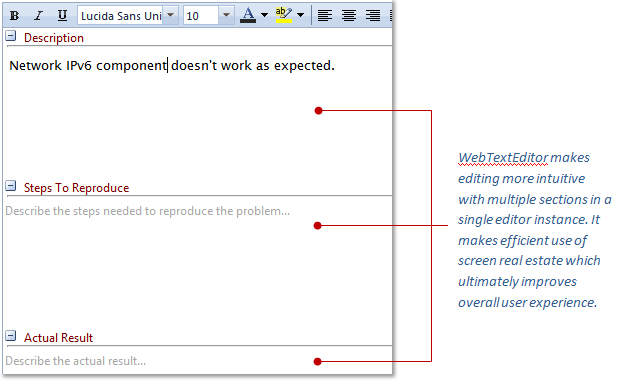
There are several properties inside WebTextEditorSection such as:
- Content
Gets or sets the section's content.
- Cssfiles
This is a collection property; user can specify the custom CSS files to be loaded into the editor.
Please refer to Load custom editor CSS files for further information.
- Height
Specify the minimum height of section. This property is applicable only in multiple sections. Leave it empty for single section.
- Name
Specify the name of section. This property is applicable only in multiple sections. Leave it empty for single section.
- ReadOnly
Specify whether the section should be read only.
- Text
Specify the caption text of the section. This property is applicable only in multiple sections. Leave it empty for single section.
-
WatermarkSettings
This is a property that handle watermark of sections.
- EnableWatermark
Specify whether watermark should be enabled or not. By default, watermark is disabled.
- WatermarkText
Specify the watermark text for the section.
- EnableWatermark