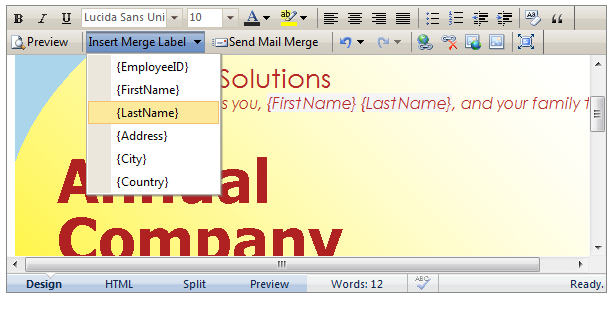
A collection of labels can be specified in MailMergeSettings >> Labels property. When the content is sent, the labels will be replaced with its related value in the data context. The data context can be retrieved from data bound collection or custom collection.
Data Bound Collection
If data bound collection is used, each label will represent a specific field in the data source. Several properties that should be specified are:
- DataSourceID
Specifies the id of data source
- DataMember
Specifies the data member of data source that will be used to retrieve data
Each label can have the following properties:
- Label
Specifies the value of the label.
- DataMember
Specifies the field in the data context which represents the label.
- FormatString
Specifies the format string of the label.
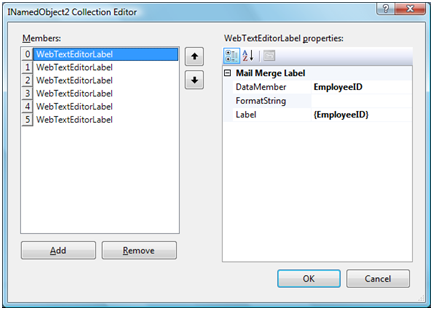
Each label is related to a specific field in data context.
Custom Collection
If the data context is retrieved from a custom collection, each label will represent a specific property in the custom collection. The custom collection should be specified as the value of Recipients property.
WebTextEditor1.MailMergeSettings.Recipients = employees;
Each label can have the following properties:
- Label
Specifies the value of the label
- DataMember
Specifies the property in the data context which represents the label
- FormatString
Specifies the format string of the label
Whether data bound collection or custom collection is used to retrieve the data context, the label replacement will be performed automatically based on the configuration.
The collection of labels in this collection will be added to Label dropdown in main toolbar. User can easily choose one of the labels and add it to WebTextEditor. As a label indicator in editor, any action that could modify it manually will be prevented.