


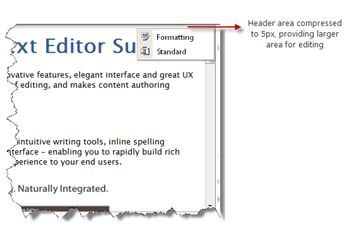
Context menu items in header area represent each toolbar available in WebTextEditor. The toolbar can be easily hidden by un-toggling the related menu item. When all toolbars are hidden, the header area will be compressed to 5px height, thus providing a larger editing area for user. The toolbar can easily be displayed afterwards, by toggling the related menu item.
 See Also
Other Resources
{Allow Resize}
{Full Screen}